



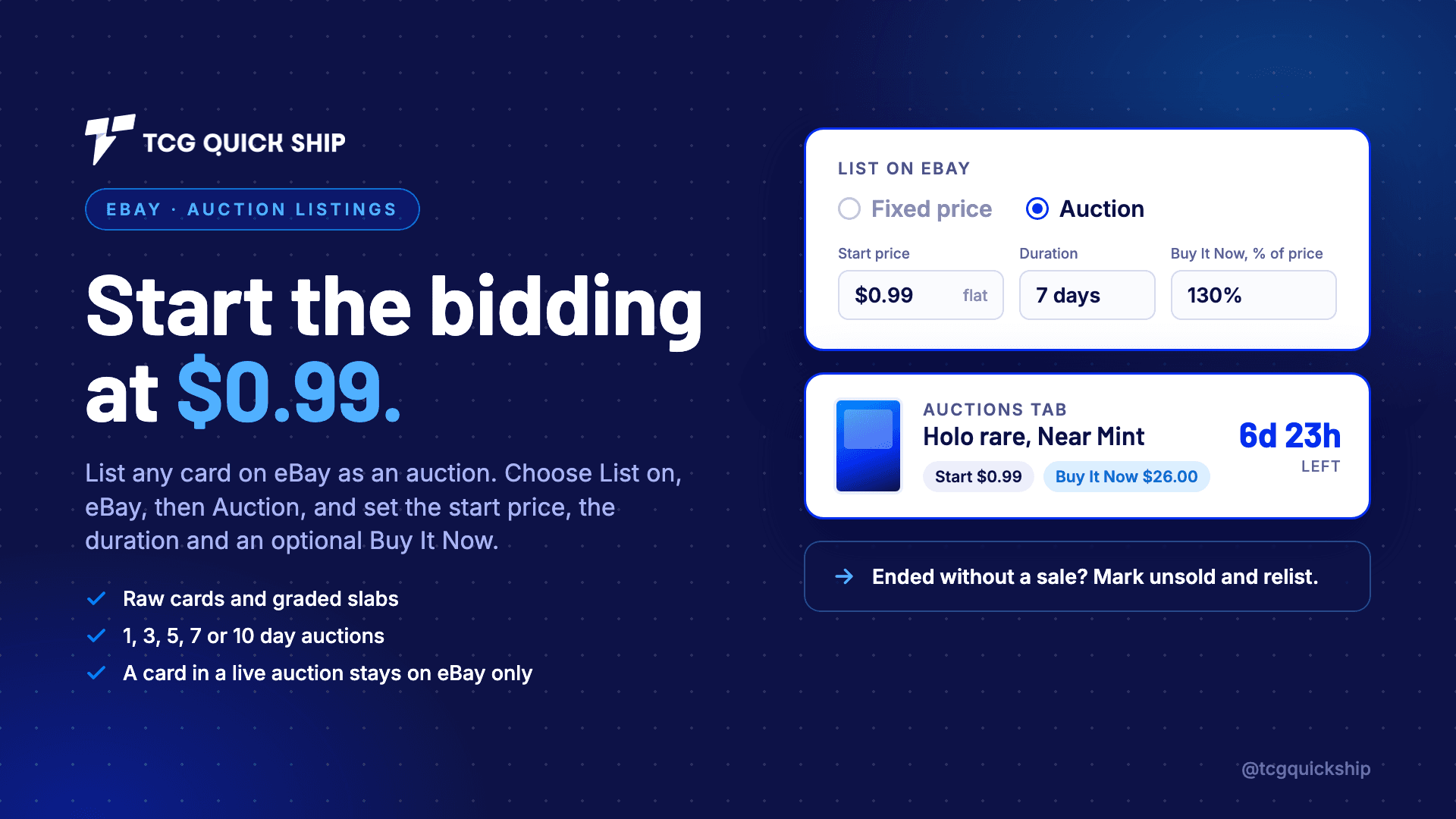
Quick Ship can now list a card on eBay as an auction. Until now every single listing was fixed price. That is still the default, and auctions are one more choice in the same dialog.
Listing a Card as an Auction
Select cards on the inventory page, choose List on…, pick eBay, and switch the format from Fixed price to Auction. Then set:
- Start price. A flat amount from $0.99, or a percentage of the card's price.
- Duration. 1, 3, 5, 7 or 10 days.
- Buy It Now (optional). A percentage of the card's price. eBay needs it to be at least 30% above the start price, so Quick Ship raises it to that floor when it would fall short.
Raw cards and graded slabs can both be auctioned. Each auction sells one copy.
The Auctions Tab
Inventory → eBay has a new Auctions tab next to Single listings and Variation listings. Each row shows the start price, the Buy It Now price if there is one, and how long the auction has left.
- Mark unsold. When an auction ends and nobody paid, Mark unsold frees the copy so you can relist it or sell it elsewhere. Quick Ship checks eBay first and asks you to confirm if eBay shows a winner.
- Switch to fixed price. Turns an auction that is not live into an ordinary single listing.
- Push. Relists an auction that ended.
Good to Know
- A copy in a live auction is listed on eBay only. Quick Ship will not cross-list it to another marketplace until the auction is over, so a bid can never land on a card that already sold somewhere else.
- A live auction's price, photos and quantity cannot be changed from Quick Ship. End it on eBay, or wait for it to end.
- An auction with no Buy It Now needs an eBay payment policy that does not require immediate payment. eBay refuses the listing otherwise.
- Variation listings stay fixed price.
- An ended auction stays on the Auctions tab until its order comes in or you mark it unsold.