



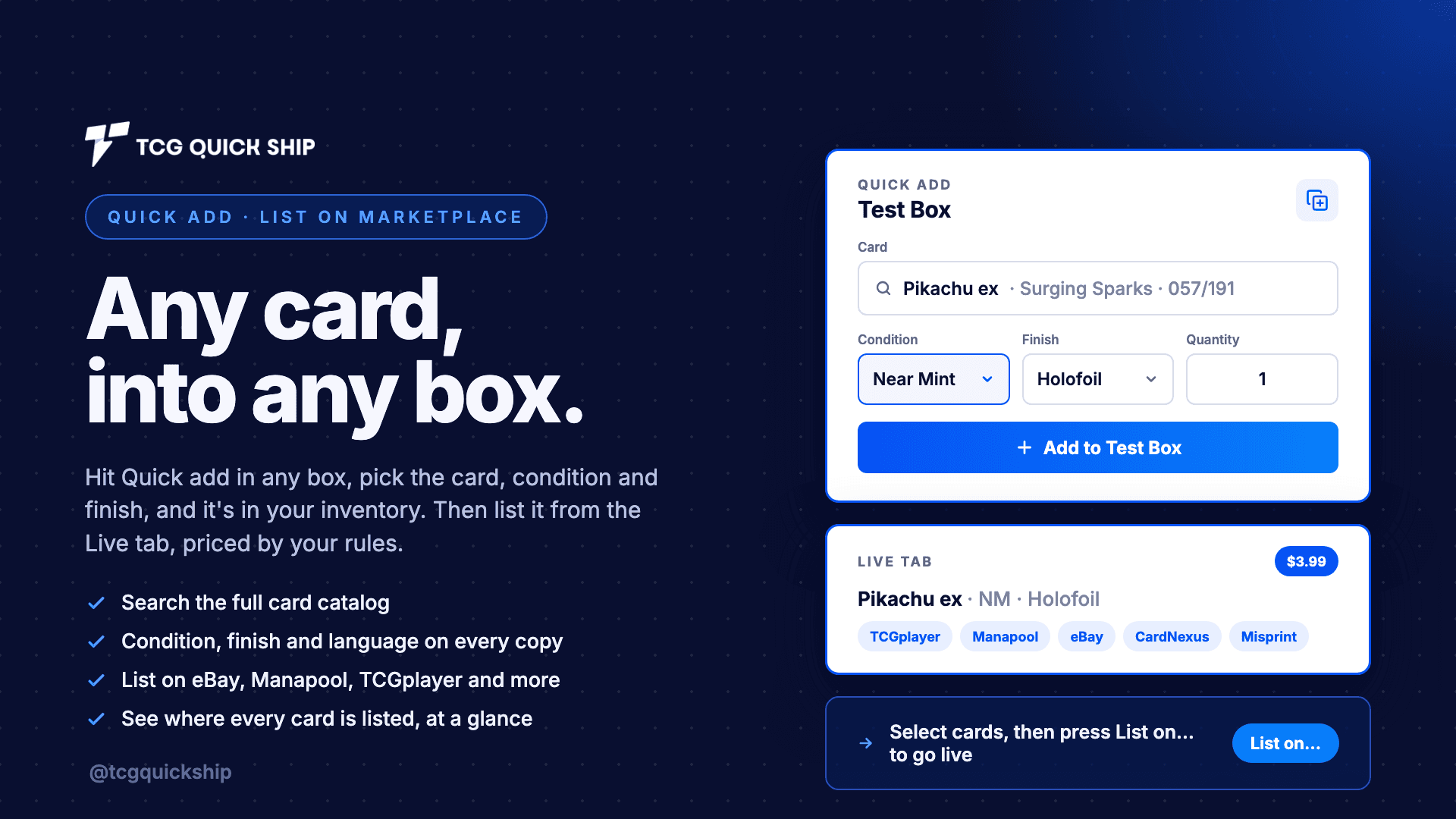
Getting one card into Quick Ship used to mean a scan or a CSV import, even for a single pickup from a trade night. And once it was in, listing it meant finding the batch it came in with. Both of those gaps are closed.
Quick Add
Open any box in Inventory and press Quick add. Search the whole card catalog by name, pick the printing, and choose the condition, finish and language for the copy in your hand. Set a quantity if you have more than one. Press Add and the card is in that box with its own SKU, live and ready to sell.
Cards added this way match orders from every marketplace, so a sale on any connected store can be picked from that box right away. They stay out of marketplace pushes and exports until you list them, so nothing goes live by surprise.
List From the Live Tab
Pick one card or a few hundred on the Live tab and press List on…. Choose TCGplayer, ManaPool or CardNexus and Quick Ship shows you exactly what will happen before anything is sent: which copies will be listed, which are skipped and why, and the price each SKU will carry.
Pricing is built in from day one. Choose one of your pricing rule sets and every card gets its price from the rule, or type a price for any card in the list to override it. The price you see in the preview is the price that gets stamped.
Once listed, every card on the Live tab shows a badge for each marketplace it is on, so you can see where your stock is without opening a batch.
What Stays the Same
- Marketplaces still own their listings. Nothing is written to a marketplace until you press the button.
- Cards that came in through a marketplace takeover keep their original listing and can't be re-listed from here.
- eBay listings still start from a scanned batch, because eBay drafts need photos.
Found a card that won't add, or a listing that didn't price the way you expected? Tell us and we'll have a look.