



Label Sizes
Configure Quick Ship to generate labels that fit your printer and shipment type perfectly.
Quick Ship supports multiple label sizes to accommodate different shipping needs and printer types. Whether you're shipping parcels with standard 4x6 thermal labels or sending cards in Plain White Envelopes (PWE), you can configure your default preferences.
Setting Your Preferences
You can set different default label sizes for different shipment types. While Parcels are always generated as 4x6 labels per carrier requirements, you can choose your preferred format for Letters and Flats.
How to change label size:
- Navigate to Settings
- Find the Label Preferences card
- Select your preferred size for Letter & Flat Size
- Click Save to apply your changes
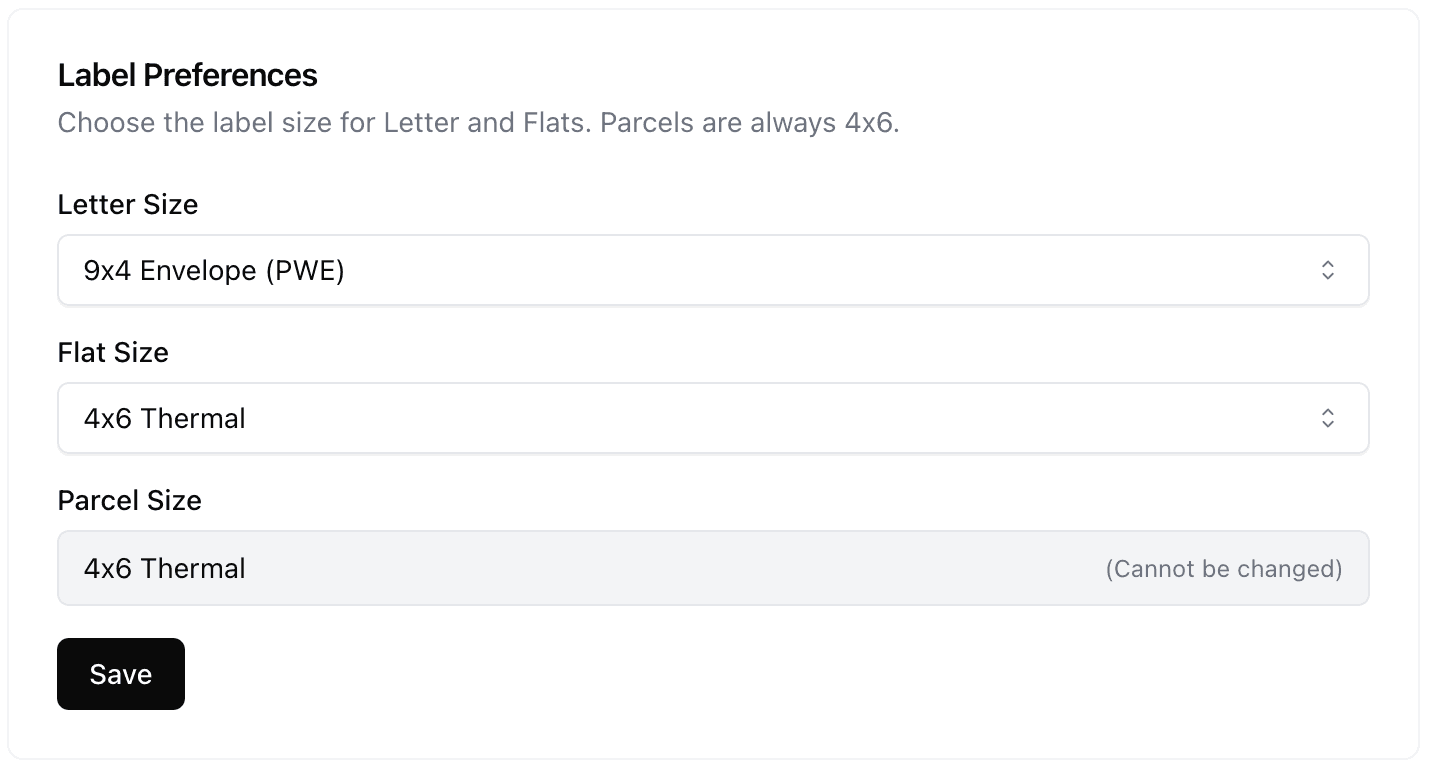
Configuring default label sizes in Shipping Settings
Printer Compatibility
Quick Ship generates labels in standard formats compatible with most modern printers:
PDF Format
Labels are generated as PDF files, which can be opened and printed on any device (Windows, Mac, iOS, Android).
Thermal Ready
4x6 labels are formatted specifically for thermal printers like Rollo, Zebra, Munbyn, and shipping-focused printers.